
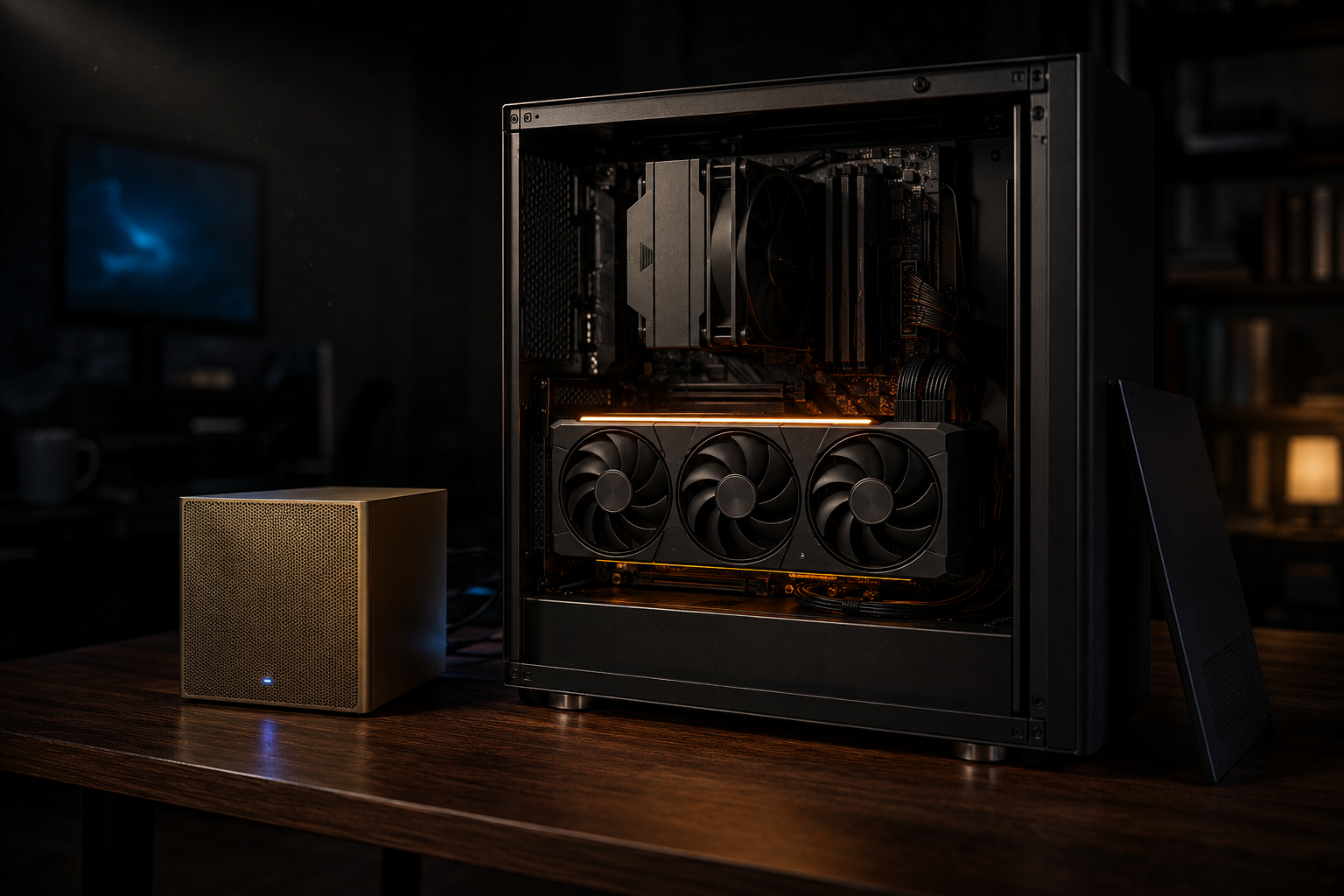
Which Local-LLM Hardware Should You Buy? DGX Spark, Strix Halo and GPUs Compared

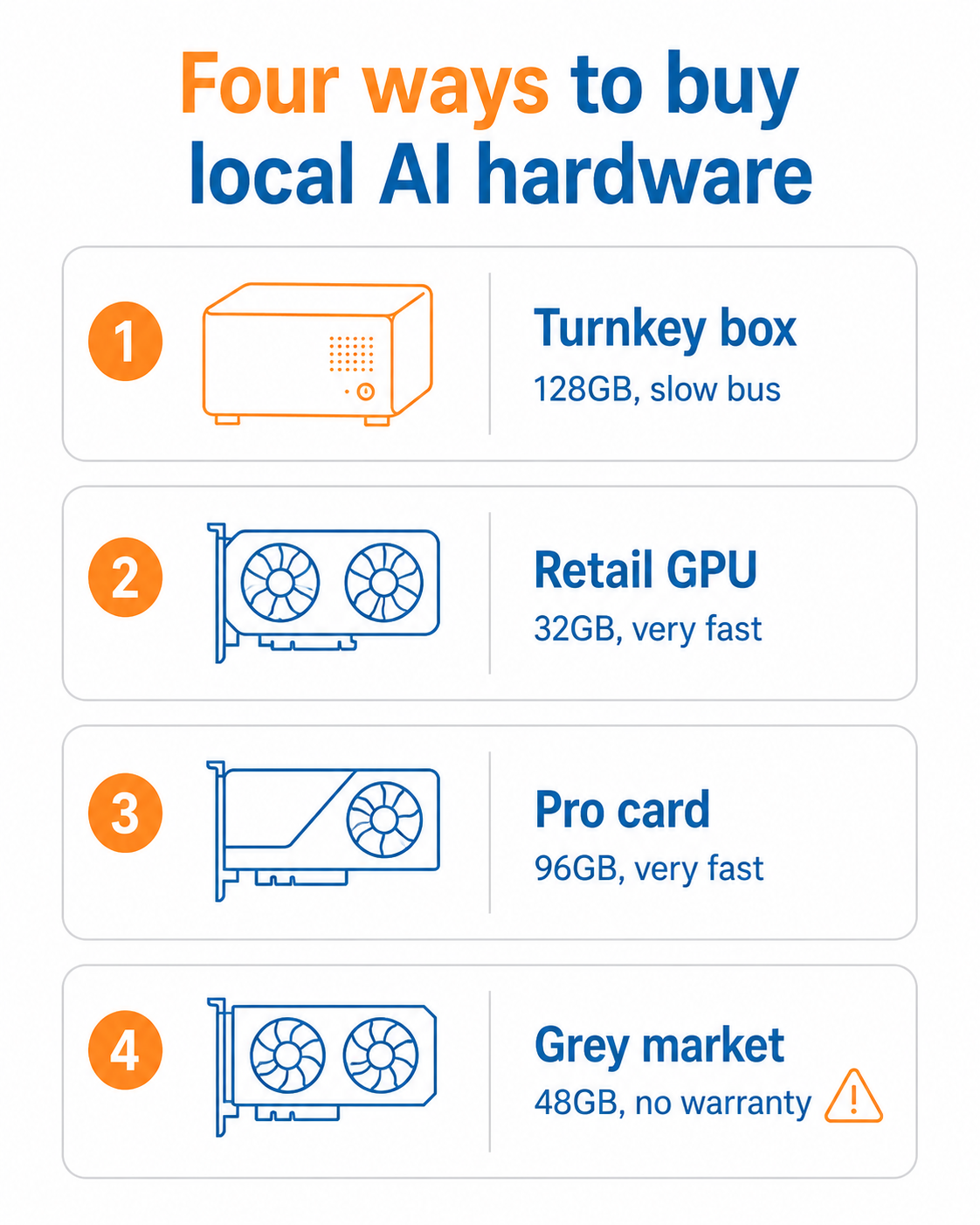
The hardware question for local AI comes down to two numbers: how much memory the machine has, and how fast that memory runs. Capacity decides which models you can load at all. Bandwidth decides how fast they answer. Almost every buying mistake we see is someone optimising one and ignoring the other. This guide walks through the four routes South African buyers actually take, what each is good at, and which one fits the work you have in mind.
In This Guide
The short answer
If you want the recommendation without the reasoning, here it is.
| What you want to do | What to buy |
|---|---|
| Run a 7B to 32B model fast, for coding help, drafting, summarising | A single RTX 5090 (32GB) in a normal desktop |
| Load very large models to test, prototype or fine-tune, speed secondary | DGX Spark or a Strix Halo box (128GB unified) |
| Run large models fast, in production, for a firm or a paying client | RTX PRO 6000 Blackwell (96GB), or multiple 5090s |
| Get maximum VRAM per rand and accept real risk | Grey-market modded 48GB RTX 4090. Read the section below first |
| Learn the ropes on a budget | A used RTX 3090 (24GB). Still the best value entry point |
The rest of this guide explains why, because the wrong choice here is an expensive mistake to unwind once the hardware has landed.
Start with the model, not the machine
Work backwards from what you intend to run. A model’s memory footprint is roughly its parameter count multiplied by the bytes per parameter, plus headroom for context. At Q4 quantisation, which is the sensible default for most local work, that lands at a bit over half a byte per parameter in practice.
| Model | Rough VRAM at Q4 | Fits on |
|---|---|---|
| Qwen3 8B | ~5.5 GB | Almost anything with 8GB |
| Qwen3-Coder 14B | ~9.5 GB | 12GB card |
| Qwen3 27B / 32B class | ~17 to 20 GB | 24GB card (3090, 4090) |
| DeepSeek-R1-Distill-Qwen 32B | ~20 GB | 24GB card, tight |
| Qwen3-Coder 32B | ~20 GB | 24GB card, the sweet spot for local coding |
| 70B dense models | ~40 GB | 48GB card, or unified memory |
| 120B class (GPT-OSS and similar) | ~65 GB+ | 96GB card, or a 128GB unified box |
Buy for the model one size up from what you need today. Models get better and they get bigger. The person who bought a 24GB card in order to run a 32B model has no room left the moment they want to try something larger. Headroom is the cheapest upgrade you will ever buy, because you buy it once, up front.
One caveat on quantisation. Qwen’s base and Coder variants handle a drop to Q4 gracefully without much quality loss. Reasoning-heavy models such as DeepSeek R1 are more sensitive to it, so if reasoning quality is the point of the exercise, budget for a higher precision and therefore more memory.
The two numbers that decide everything
This is the part the spec sheets bury, and it is the single most useful thing to understand before you spend money.
Memory capacity decides whether a model loads. If the weights do not fit, the machine either refuses or spills to system memory and crawls. Capacity is a hard wall.
Memory bandwidth decides how fast it answers. Generating each token requires reading the entire active model from memory. A 40GB model on a 200 GB/s bus can, at absolute best, produce about five tokens per second. The same model on a 1,792 GB/s bus is not five times faster on paper, it is closer to nine times faster, and that is the difference between a usable assistant and watching a progress bar.
The gap between the two classes of hardware is enormous:
| Hardware | Memory | Memory bandwidth |
|---|---|---|
| NVIDIA DGX Spark (GB10) | 128 GB unified LPDDR5X | 273 GB/s |
| AMD Ryzen AI Max+ 395 (Strix Halo) | Up to 128 GB unified | 256 GB/s theoretical, ~215 GB/s measured |
| RTX 4090 | 24 GB GDDR6X | 1,008 GB/s |
| RTX 5090 | 32 GB GDDR7 | 1,792 GB/s |
| RTX PRO 6000 Blackwell | 96 GB GDDR7 with ECC | 1,792 GB/s |
Read that table again. The 128GB boxes have roughly four times the capacity of a 5090 and roughly one seventh of its bandwidth. They are not faster machines that also happen to hold more. They are a different trade entirely: they let you load things a consumer card cannot touch, and they answer slowly when you do.
DGX Spark vs Strix Halo
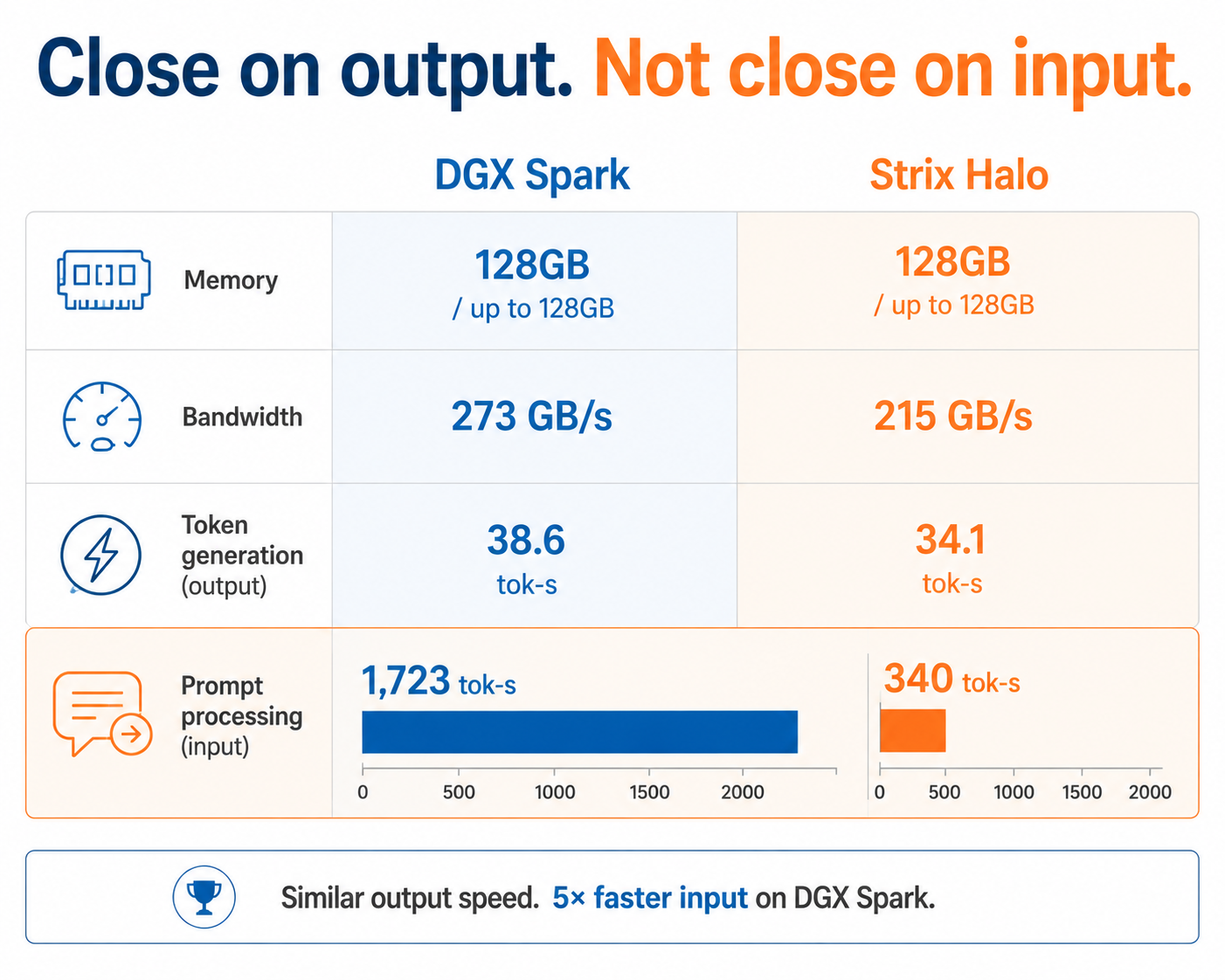
These two get compared constantly because they look like the same product: a small box on a desk with 128GB of memory shared between CPU and GPU. On token generation, they are genuinely close. On everything else, they are not.
| DGX Spark | Strix Halo (Ryzen AI Max+ 395) | |
|---|---|---|
| Chip | NVIDIA GB10 Grace Blackwell | AMD, 16 Zen 5 cores, 40 CU RDNA 3.5 iGPU |
| Unified memory | 128 GB LPDDR5X | 32 GB to 128 GB |
| Bandwidth | 273 GB/s | ~215 GB/s measured |
| Token generation, 120B class | ~38.6 tok/s | ~34.1 tok/s |
| Prompt processing, 120B class | ~1,723 tok/s | ~340 tok/s |
| Ecosystem | CUDA, the whole NVIDIA stack | ROCm and Vulkan, improving but thinner |
| Indicative price | From around $3,000 USD | Varies widely by vendor and configuration |
The number that matters in that table is prompt processing, where the Spark is roughly five times quicker. Token generation is how fast the model talks. Prompt processing is how fast it reads. If your work involves feeding the model long documents, large codebases, or a stack of contracts, prompt processing is most of your waiting, and the Spark pulls decisively ahead.
If your work is short prompts and conversational replies, the two are close enough that price and software preference should decide it.
The honest caveat on both: neither is a fast machine for large dense models. A 70B model at Q4 means streaming roughly 40GB on every single token, which lands in the low single digits of tokens per second on either box. Both are excellent at holding something enormous in memory so you can work on it. Neither will serve it at conversational speed to a room full of users.
Retail GPUs: 5090, 4090 and RTX PRO 6000
For most South African buyers, a single consumer card in a normal desktop is still the right answer, and it is the route we import most often.
RTX 5090, 32GB
The default recommendation. 32GB of GDDR7 at 1,792 GB/s comfortably runs everything up to the 32B class at speeds that feel instant, with room for decent context. It is a gaming card, so it doubles as one, and it sits in an ordinary tower with an ordinary power supply. If you are buying one thing and you want it to feel fast, buy this.
RTX 4090, 24GB
Still very capable at 1,008 GB/s, and 24GB is enough for the 32B class at Q4. Worth buying only if the price gap against a 5090 is meaningful, which since the 5090 launched it usually is not.
RTX PRO 6000 Blackwell, 96GB
The same GB202 silicon as the 5090, with 96GB of ECC GDDR7 at the same 1,792 GB/s. This is the only option on this page that gives you both high capacity and high bandwidth, which is why it is the one professional firms end up buying. ECC memory corrects single-bit errors and flags double-bit ones, which matters when the output feeds a process you have to stand behind. It is priced accordingly.
Used RTX 3090, 24GB
Worth mentioning because it remains the best value entry into local AI. 24GB of VRAM, mature software support, and second-hand prices well below anything current. If you are learning rather than deploying, start here.
On stacking cards. Two 5090s give you 64GB, but not as one pool. The model has to be split across them, and how well that works depends entirely on the software you run. It is a real option for serious builds and a common source of disappointment for people who assumed the memory simply adds up.
The grey market: modded 48GB cards and server GPUs
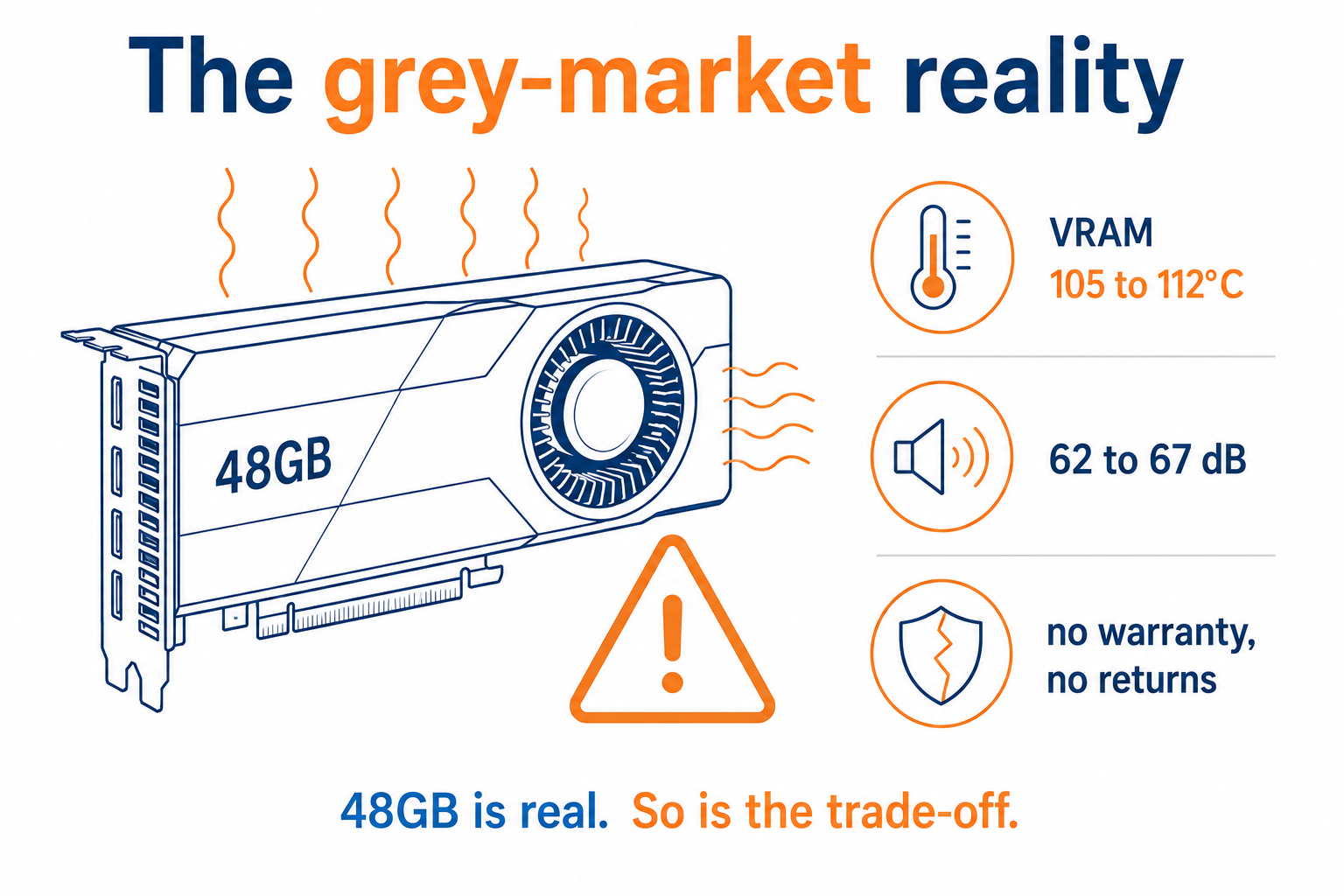
Search for cheap high-VRAM cards and you will find these quickly. They are real products, widely sold, and they deserve a straight answer rather than either hype or a blanket warning.
Modded 48GB RTX 4090s
NVIDIA never made a 48GB RTX 4090. These are workshop builds out of China: a 4090 die moved onto a custom board with the memory reballed to double the VRAM, usually in a blower-style shroud so several fit in one chassis. They are sold openly on Alibaba and AliExpress.
What is genuinely good about them. 48GB on one card at 4090-class bandwidth is a combination NVIDIA does not sell at anything like the price. They do run 70B models, and independent teardowns confirm the memory is real and the cards work. For pure VRAM per rand, nothing else comes close.
What you are actually accepting. Independent testing has repeatedly measured VRAM junction temperatures in the 105 to 112°C range, which is above the JEDEC specification for GDDR6X. Running memory that hot accelerates electromigration and raises bit-error rates over time, so the risk is not that the card fails on day one, it is that it degrades. The blower coolers measure in the low to mid 60s dB(A), which is vacuum cleaner territory and not something you will tolerate in an office. Power delivery components are frequently cheaper than on a retail card, and there have been documented cases of cards destroyed by botched repairs, because nobody will repair them under warranty. There is no warranty, no support, and no recourse.
Our honest position: viable for someone running a rack in a room they do not sit in, who treats the card as consumable and has a plan for when it dies. Not viable as the only machine a business depends on.
Ex-server GPUs and SXM adapter boards
The other grey-market route is data-centre silicon such as the V100 and A100 in SXM form, paired with an adapter board that lets an SXM module run in a normal PCIe chassis. The appeal is obvious: high-bandwidth memory at a fraction of the original cost.
The practical problems are cooling and power. These modules were designed for a server chassis with engineered airflow and a power envelope to match, and the adapter boards vary enormously in quality. Some are competent, some are not. Older cards also have shorter software support runways than people expect. This is a route for someone who genuinely enjoys the build, not a shortcut to cheap capability.
Before you order anything grey market: ask the seller for the specific board revision and cooler design, not a stock photo. Ask what happens if it arrives dead. Assume the answer is nothing. And factor in that you are paying freight, duty and VAT on a card with no warranty, which changes the maths considerably against a retail option.
So which one should you buy?
By what you are actually trying to do:
You want a fast local assistant for your own work. One RTX 5090. Run a 32B class model at Q4, everything feels instant, and the machine is useful for other things. This covers the large majority of buyers.
You are a professional firm handling regulated or confidential data. RTX PRO 6000 Blackwell. You need capacity and speed together, and ECC is worth having when the output touches client work. The compliance case for keeping this in the building is covered in our guide to local LLMs for professional firms in South Africa.
You build and resell AI solutions. A DGX Spark, on the CUDA argument alone. You need to develop against the same stack your clients will deploy on, and the ability to load a very large model to test it matters more than serving it quickly.
You are automating a small business. A 5090, or a Strix Halo box if the workload is mostly batch jobs that run overnight rather than anything interactive. We walk through the realistic use cases in using a local LLM to automate your small business.
You are tinkering, or building a home setup. A used 3090 to start, a 5090 when you outgrow it. Our own home build is written up in building a local AI home setup.
If you are still deciding whether owning hardware beats renting an API at all, start with why run a local LLM instead.
What it takes to land in South Africa
None of this sits on a local shelf in any quantity. Almost all of it is imported, and high-value electronics get a closer look from SARS than most categories.
Three things decide what you pay on arrival. The tariff classification sets the duty rate, and graphics cards and complete computers generally attract no customs duty, which surprises people who budgeted for it. The customs value is what SARS accepts the goods are worth, and an under-declared invoice on a card that everyone knows the price of is the fastest way to a query and a delay. Then VAT at 15% is calculated on the added tax value, which is the customs value plus a 10% uplift plus any duty. We break the valuation side down in how customs value is determined in South Africa.
Scott’s Shipping Services handles all of it as one quote. You tell us the card or the box you want, we buy it, ship it, classify it, clear it, pay the duty and VAT, and deliver it. One all-inclusive price agreed up front, with no surprise invoice at the door. If you want us to source specific parts on your behalf rather than a complete machine, that is our international shopping concierge. For the full picture on getting AI hardware into the country, see the guide to importing AI and local-LLM hardware into South Africa.
Frequently asked questions
Is the DGX Spark better than a Strix Halo box?
For token generation they are close, at roughly 38.6 against 34.1 tokens per second on a 120B class model. The Spark’s advantage is prompt processing, where it is around five times quicker, so it wins clearly if you feed the model long documents or large codebases. It also gives you the CUDA ecosystem, which matters if you are developing rather than just running models.
Are the China-modded 48GB RTX 4090 cards worth buying?
They work, and the memory is real. Independent testing has measured VRAM temperatures above 105°C and blower noise in the low to mid 60s dB(A), and there is no warranty or support of any kind. They suit someone running a rack in a separate room who treats the card as consumable. They are a poor choice as the only machine a business depends on.
How much VRAM do I need to run DeepSeek or Qwen locally?
At Q4 quantisation, a 32B class model such as Qwen3-Coder 32B or DeepSeek-R1-Distill-Qwen 32B needs roughly 18 to 20GB, so it fits a 24GB card. Smaller 8B models run in around 5.5GB. A 70B dense model needs about 40GB, and 120B class models need 65GB or more.
Do I pay customs duty on a graphics card or an AI machine?
Graphics cards and complete computers generally attract no customs duty under the SARS tariff schedules, but 15% VAT applies to the added tax value, which is the customs value plus a 10% uplift plus any duty. The correct tariff classification is what determines this, and getting it wrong is what causes delays.
Can SSS advise on what hardware to buy?
We are the import side, not a managed AI service. That said, we run this hardware ourselves, so tell us what you intend to run and we will tell you straight whether the machine you are looking at will do it before you commit to buying it.
Useful resources
SSS: Importing AI and local-LLM hardware into South Africa
SSS: How customs value is determined in South Africa
SSS: International shopping concierge

Know what you want to buy? Use our online calculator for a quick estimate, or get in touch and we will source it for you.